
Without the jargon
If you've started reading about email marketing, you've probably come across the word automation. It sounds technical, maybe even a bit impressive. Like something only big businesses with huge marketing teams use.
You might even have imagined, or seen (thanks Google), complicated diagrams with arrows going everywhere and wondered whether you need to learn a whole new language before you can send an email. You don't.
An email automation is much simpler than it sounds, and chances are you've already experienced hundreds of them without even noticing. Let's talk about it in plain English.
What is an email automation?
An email automation is simply an email (or a series of emails) that's sent automatically when something happens. That "something" is called a trigger.
For example:
- Someone joins your email list.
- Someone downloads your free guide.
- Someone books a discovery call.
- Someone buys your course.
Instead of you remembering to send an email each time, your email platform does it for you automatically. That's it. No magic, no robots taking over your business and it definitely doesn’t need to rely on AI. Plus, it’s one less thing for you to remember.
Think of it like a motion-sensor light
Imagine walking up to someone's front door in the evening. As you get closer, the outside light switches on automatically. You didn't press a button, the person who’s house it is didn't need to be standing at the window like a curtain twitcher waiting to flick the switch. The light simply responded because something happened.
Email automations work in exactly the same way. Someone signs up to your email list. The automation notices that action and sends your welcome email. You don't need to remember to do it every time, or check on it every day, because you've already set it up once.
It's not about making things more complicated, it's about making sure the right thing happens at the right time, and making your life easier.
What's the difference between an automation and a newsletter?
This is where it’s easy to get lost. A newsletter is something you choose to send, on a specific day, at a specific time either to all or some of your audience. You write it, press send, and everyone gets it at the same time.
An automation works differently, it waits for someone to do something, then sends the right email automatically.
| Newsletter | Automation |
| You choose when to send it. | Your subscriber's action triggers it. |
| Everyone receives it at the same time. | People receive it at different times, depending on when they took the action. |
| Great for updates and news. | Great for welcome emails, freebies and onboarding. |
Both are important, but they have different jobs.
If you only build one automation, make it this one
I always say the most important email you'll ever send is the first one after someone signs up. Not because it has to be perfect with a beautiful design. Not because it needs to take someone on a clever well orchestrated journey, but because that is exactly when people are expecting to hear form you.
A simple welcome email can:
- deliver the freebie you promised
- thank someone for signing up
- introduce yourself
- explain what they can expect next
- start building trust straight away
If someone signs up today but doesn't hear from you until your next newsletter in two weeks' time, there's a good chance they'll have forgotten who you are. That's why I'd always recommend starting with one simple welcome email automation.
If you'd like to know what to include in that first email, have a read of What happens after someone signs up?
Do I need lots of automations?
Definitely not. One of the biggest myths about email marketing is that you need dozens of complicated automations. For most small businesses, one welcome email is enough to begin with.
As your confidence, business and audience grows you may want to add others like:
- a short welcome sequence
- client onboarding emails
- reminder emails
- course emails
There's no rush. Start with one automation that genuinely helps your subscribers, then build from there as you need to. This is exactly what I mean in my post: What is a good enough email setup.
Why do automations look so complicated?
If you've ever seen a screenshot of an automation builder, you'll know they can look a little intimidating, I mean just look at that screenshot!
Triggers, rules, actions. Boxes, lines, arrows.
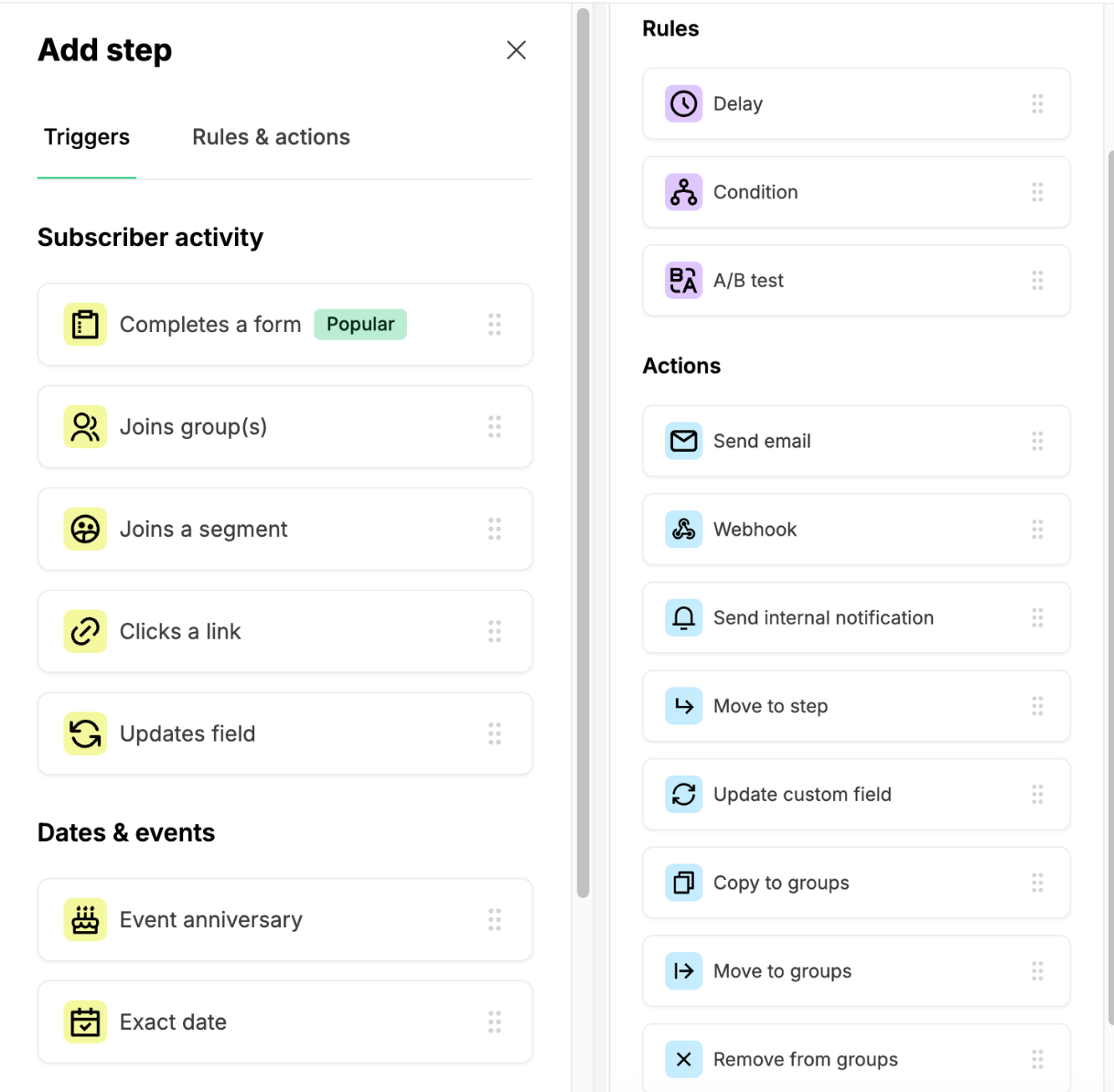
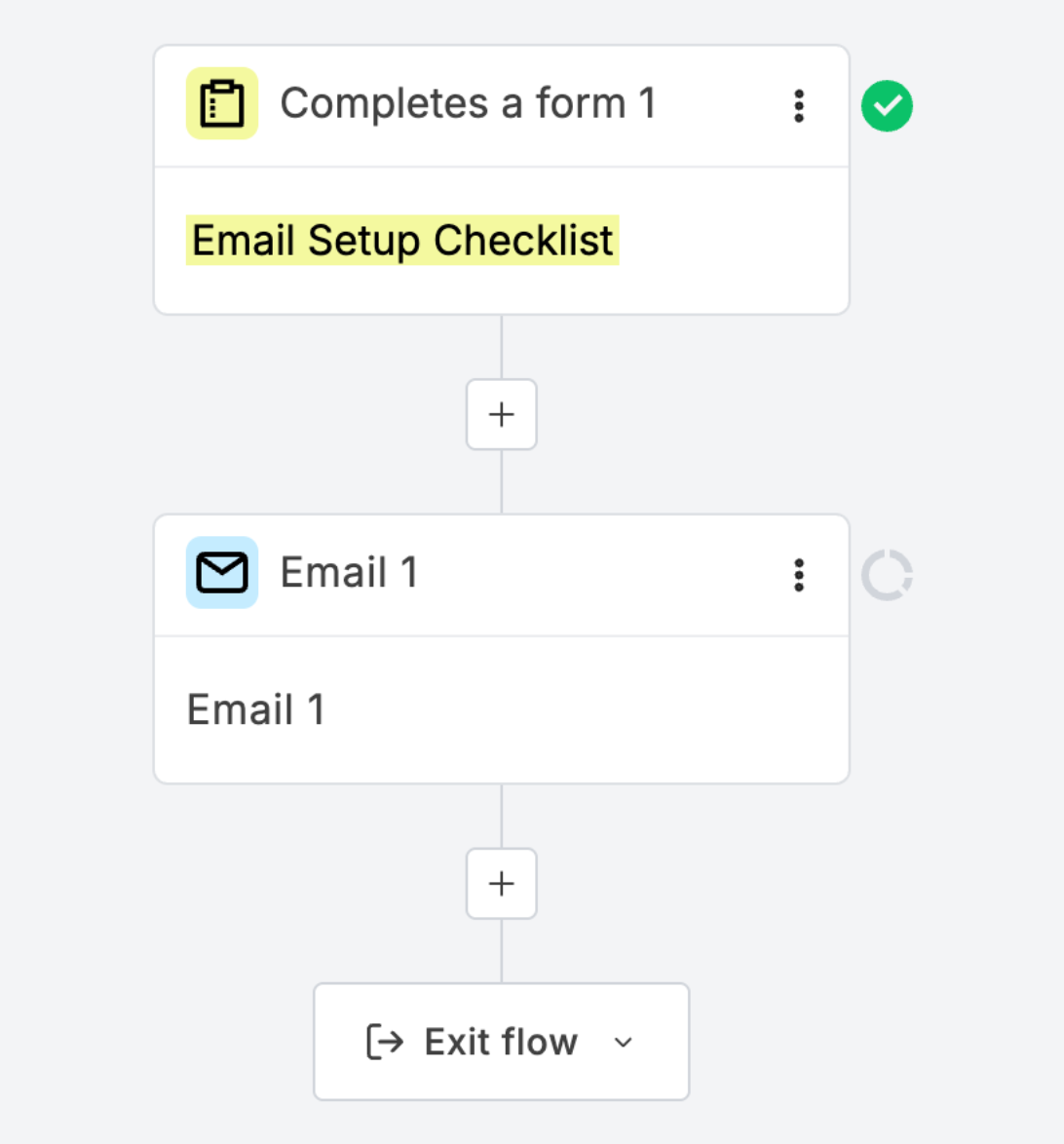
It's easy to think you need to understand all of it before you get started. In reality, most automations follow one simple pattern:
When this happens...
↓
Send this email.
Everything else is just adding extra steps as your business grows, you absolutely do not need all of those on day one.
Doesn't automation make emails feel less personal?
It's easy to think that an automated email will feel cold or robotic, but that's not what automation is about. The automation simply decides when an email is sent, you're still the one writing it.
In fact, a well-written welcome email that arrives immediately after someone subscribes can feel more personal because it arrives at exactly the right moment. Instead of someone wondering whether you've forgotten about them, they're greeted with a friendly email while your business is still fresh in their mind.
Automation doesn't replace the human touch, it helps you deliver it consistently.
The bottom line
Email automations aren't about making your marketing more complicated, they're about making life easier for both you and your subscribers. They make sure the right person receives the right email at the right time, without you having to remember to press Send.
If all you ever build is one simple welcome email, you're already giving your subscribers a better experience than many businesses do and that my friend, is an excellent place to start.
Ready to set up your first automation?
Before you open your email software, grab my free Email Setup Checklist.
It'll help you gather everything you need, from your branding and freebie to your welcome email, so the setup feels much less overwhelming.